Intune Naming Conventions: A Practical Standard for M365 Environments
Table of Contents
Why Naming Conventions Matter
Before diving into “Conditional Access” policies and Intune configurations, I need to quickly explain the naming convention I use throughout my tenant. This might seem boring but getting this right early saves you a lot of trouble later.
If you’re new to Intune chances are your first policies will probably look similar to these ones:
Bitlocker Policy
Win10 - Security Settings
GBL - W10 - Something - PRD
test policy delete later
Yes they might get the job done quick but they lack to communicate purpose, scope or lifecycle, adding more only increases your technical debt.
After some research I’ve adopted a structured naming convention that scales from 10 to 10000 devices, so here is how it looks in my tenant
Note: Feel free to use this as a baseline and adjust the logic to align with your own tenant requirements & unique infrastructure needs!
| Position | Field | Options | Purpose |
|---|---|---|---|
| 1 | Join Type | A = Azure AD, H = Hybrid | Determines Autopilot profile |
| 3-4 | Country/Site | RO, BE, DE, FR, US, etc. | Location-specific policies |
| 6 | User Type | U = User, A = Admin | Determines local admin rights |
| 8 | Ring | D = Dev, C = Canary, P = Production | Update/deployment ring |
| 10 | Device Type | L = Laptop, D = Desktop, S = Shared, K = Kiosk | Device category |
Examples
A-RO-U-P-L = Azure AD, Romania, User, Production, Laptop
A-RO-A-C-D = Azure AD, Romania, Admin, Canary, Desktop
H-RO-U-P-L = Hybrid, Romania, User, Production, Laptop
A-RO-U-D-L = Azure AD, Romania, User, Development, Laptop
Naming Convention Overview
Core Principles
- Consistency: Same pattern across all object types
- Scalability: Works for 10 or 10,000 devices
- Clarity: Immediate understanding without clicking
- No spaces: Use hyphens for readability
- Abbreviations: Standardized and documented
Key Prefixes
| Prefix | Meaning | Usage |
|---|---|---|
| GBL | Global | Tenant-wide policies (all countries/sites) |
| RO | Romania | Country-specific policies |
| BE | Belgium | Country-specific policies |
| DE | Germany | Country-specific policies |
| GRP | Group | All Entra ID groups |
Platform Codes
| Code | Platform |
|---|---|
| WIN11 | Windows 11 (and Windows 10) |
| iOS | iOS/iPadOS |
| AND | Android |
| macOS | macOS |
Ring Codes
| Code | Ring | Purpose |
|---|---|---|
| (DEV) | Development | IT testing, Windows Insider, early adopters |
| (CAN) | Canary | Pilot users, one per department |
| (PRD) | Production | All other users, stable releases |
| (ALL) | All Rings | Applies to everyone regardless of ring |
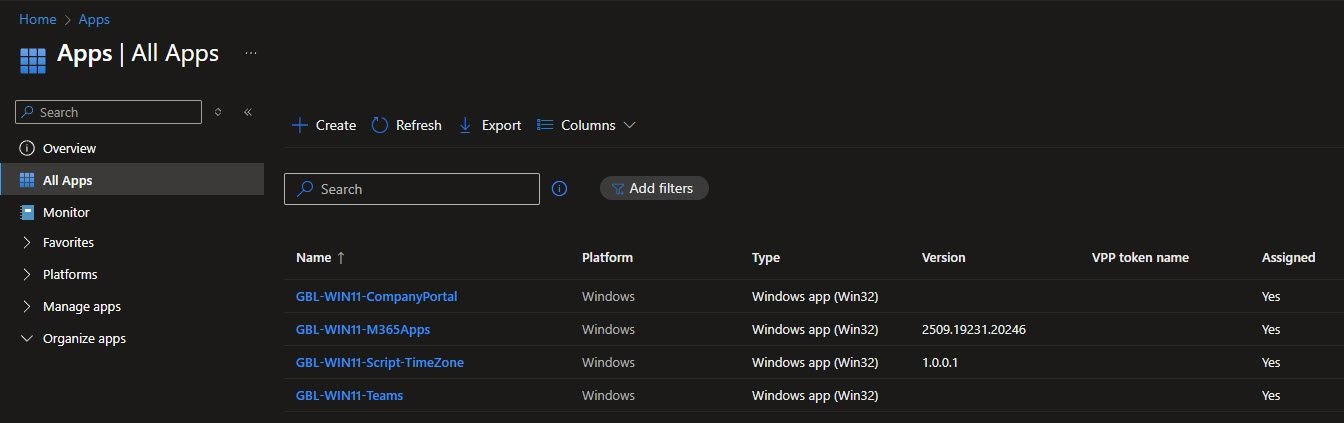
I’ve named my applications to follow this pattern, instead of using generic names like “Company Portal” or “Microsoft Teams”, each app now clearly identifies its scope and platform:
Groups
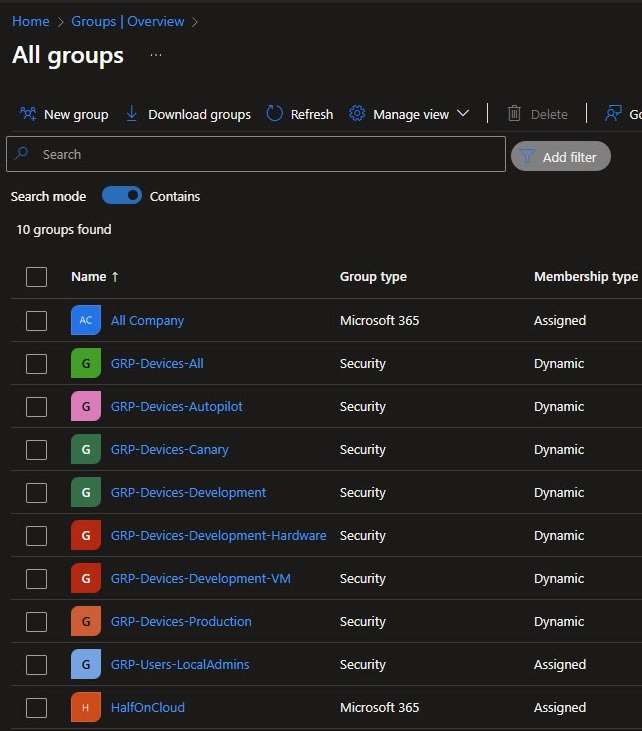
Groups follow a simpler pattern: “GRP-[Type]-[Purpose]”
Notice the mix of Dynamic and Assigned membership types, Dynamic groups automatically populate based on device attributes, no manual management required.
The “GRP-Devices-Development-Hardware” and “GRP-Devices-Development-VM” groups separate physical test machines from virtual machines which is useful when certain policies behave differently, for example in VMware or Hyper-V environments:
Dynamic Group Rules
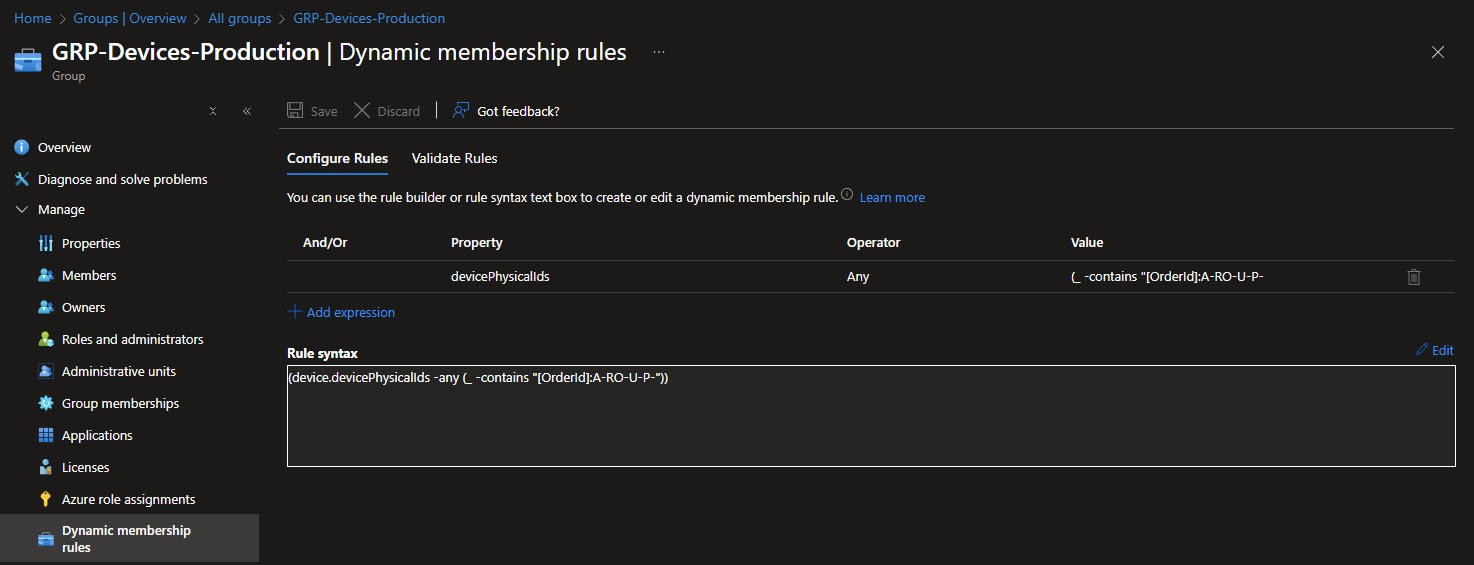
Here’s where GroupTags become powerful, each Autopilot device gets a GroupTag during enrollment that encodes its characteristics.
The rule (device.devicePhysicalIds -any (_ -contains “[OrderId]:A-RO-U-P-”)) automatically captures all devices with a GroupTag starting with A-RO-U-P- (Azure AD joined, Romania, User, Production).
GroupTag structure: [JoinType]-[Country]-[UserType]-[Ring]-[DeviceType] eliminates manual group assignments entirely, devices land in the correct groups automatically based on how they were enrolled:
Intune naming convention value
This is where the naming convention really proves its value.
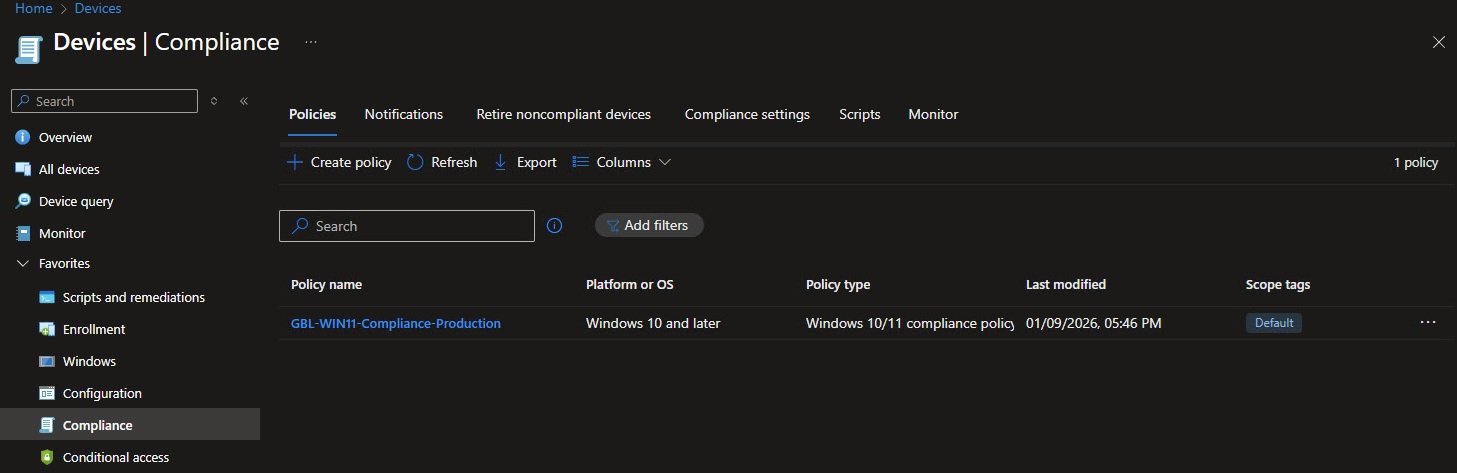
The naming convention for my Compliance policy makes it obvious that this targets Windows 11 devices in production:
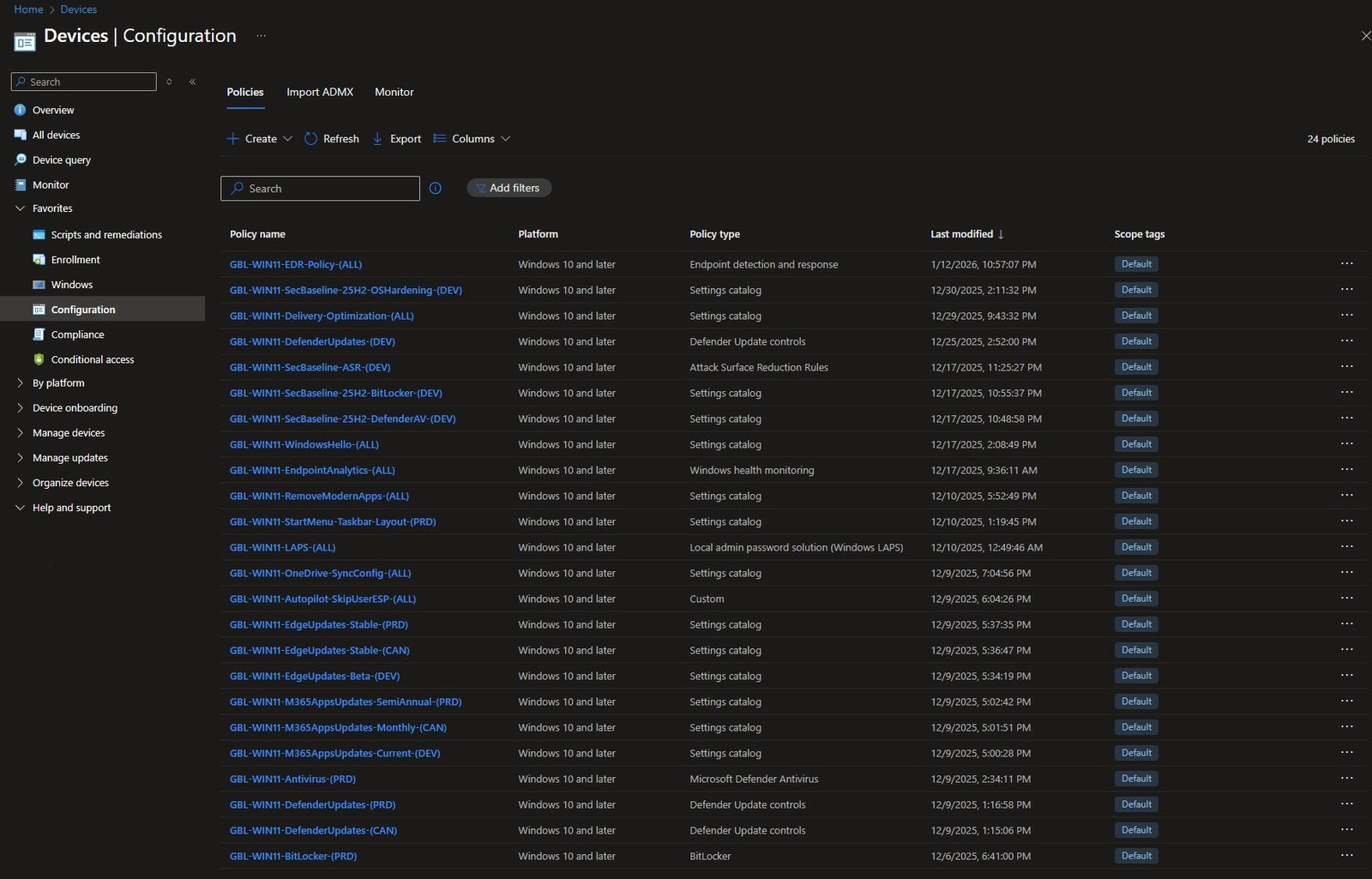
As for my Configuration profiles, with 24 policies, imagine trying to find the right one without consistent naming, so now I can immediately identify:
- What each policy configures (BitLocker, Defender, EdgeUpdates)
- Which ring it targets (DEV, CAN, PRD, ALL)
- The policy type (Settings catalog, ADMX, Endpoint security)
I’ll cover these policies in detail in future articles, but for now this demonstrates how the naming convention scales:
What’s Next
With naming conventions established, the next article covers in detail the “Conditional Access” policies and the actual security controls protecting the tenant.